Core
Voice & dictation
One push-to-talk route adapts to the foreground experience.
- Configurable microphone and global hotkey
- Dictation-and-paste outside Nova Chat
- Language-aware speech and response controls
Dictate into the app in front of you, speak or type with Cortex Nova, run actions against targets you approved, manage local memory and reminders, and connect everyday services from one authenticated Windows client.
Inside the client
Cortex Whisper is still fast voice input, but the current application also contains Nova, approved local automation, reviewable memory, productivity tools and configured integrations.
One push-to-talk route adapts to the foreground experience.
Use the compact chat, quick Assistant, voice replies and connected search.
Turn requests into validated local work against targets you approved.
Keep useful context reviewable without treating every conversation as permanent memory.
Move from a conversation to a reminder, task or calendar plan in the same client.
Connect only the services and identities that belong in your workflow.
Cortex Nova
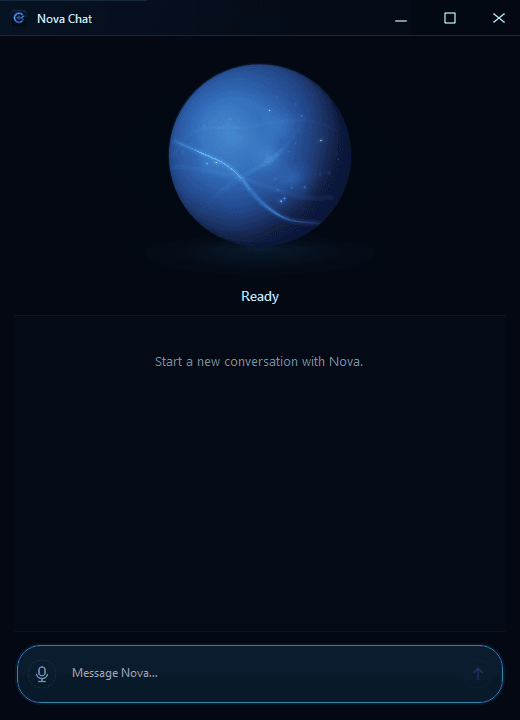
Nova is the conversational layer users meet through the quick AI Assistant and the standalone Nova Chat window. It reuses the same voice, Memory and Cortex Actions pipeline rather than becoming a separate product silo.
Use the input that fits the moment.
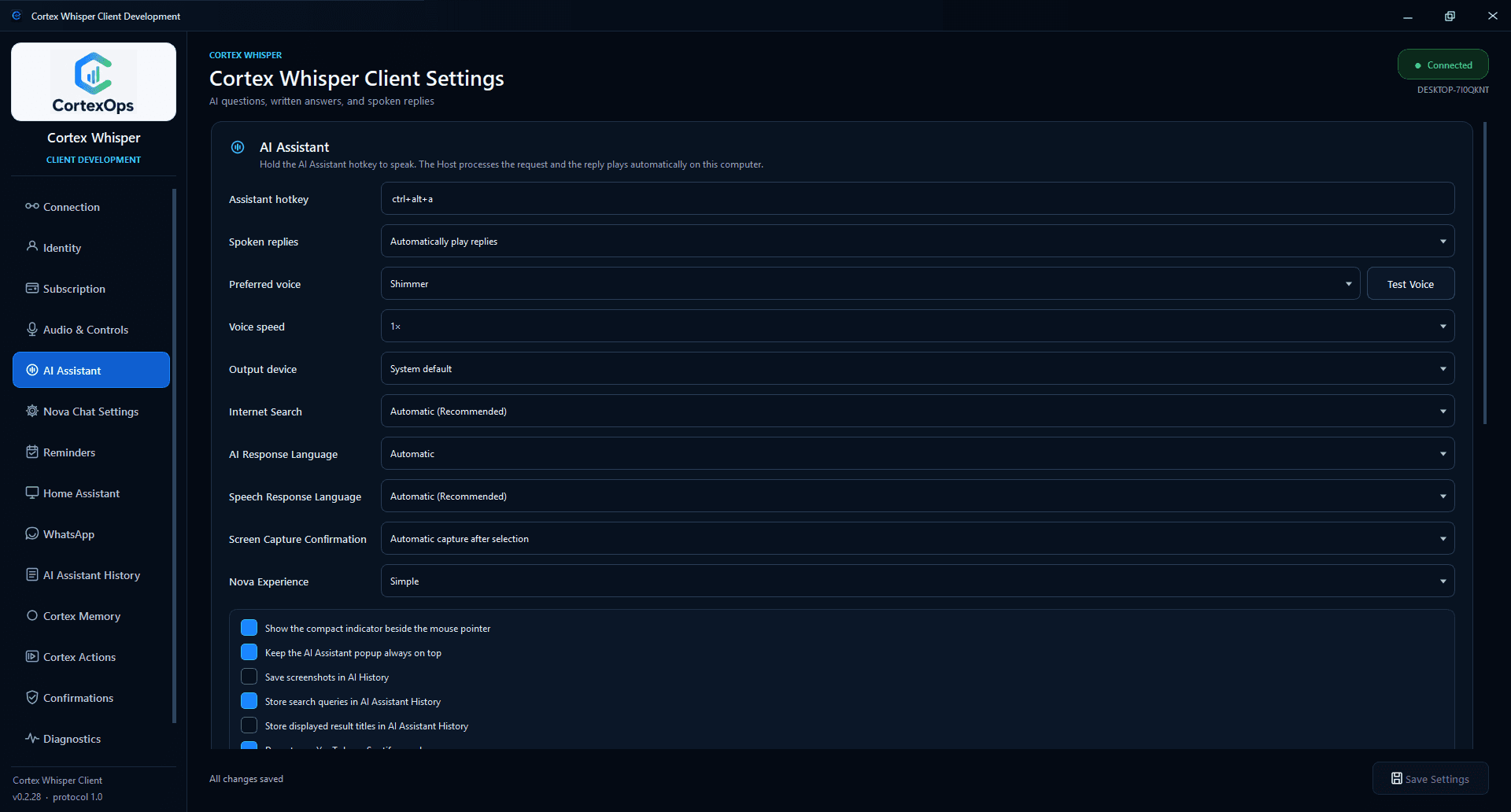
Choose voice, speed and output device.
Automatic search for current information.
Quick Assistant plus standalone Nova Chat.
Cortex Actions
Cortex Actions can open, control and compose work only through saved local targets and explicit device permission. The current client makes that boundary visible before anything runs.
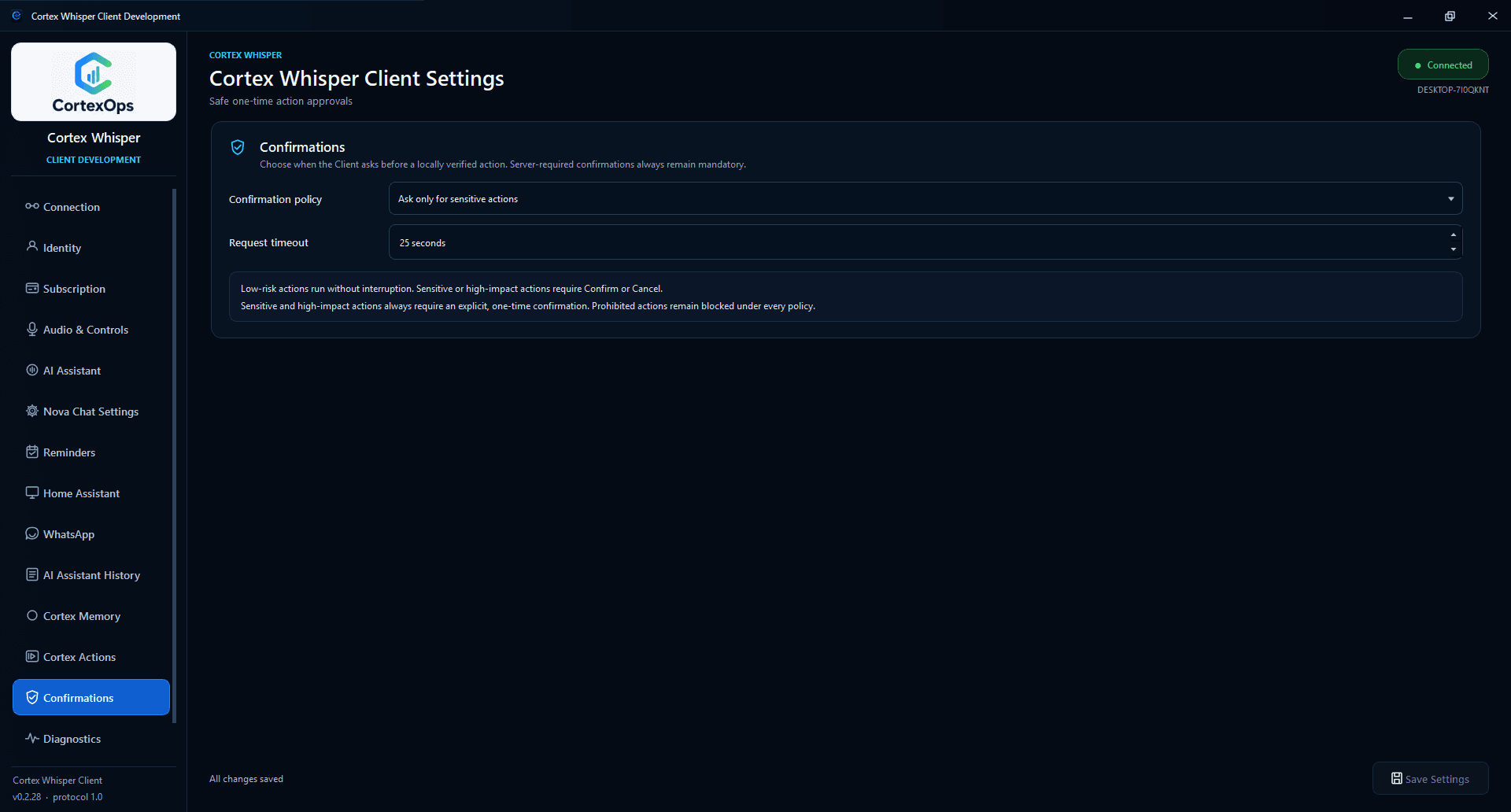
Account entitlement, device opt-in, approved-target validation and the confirmation policy all have to agree. Sensitive and high-impact actions always require a one-time confirmation; prohibited actions stay blocked.
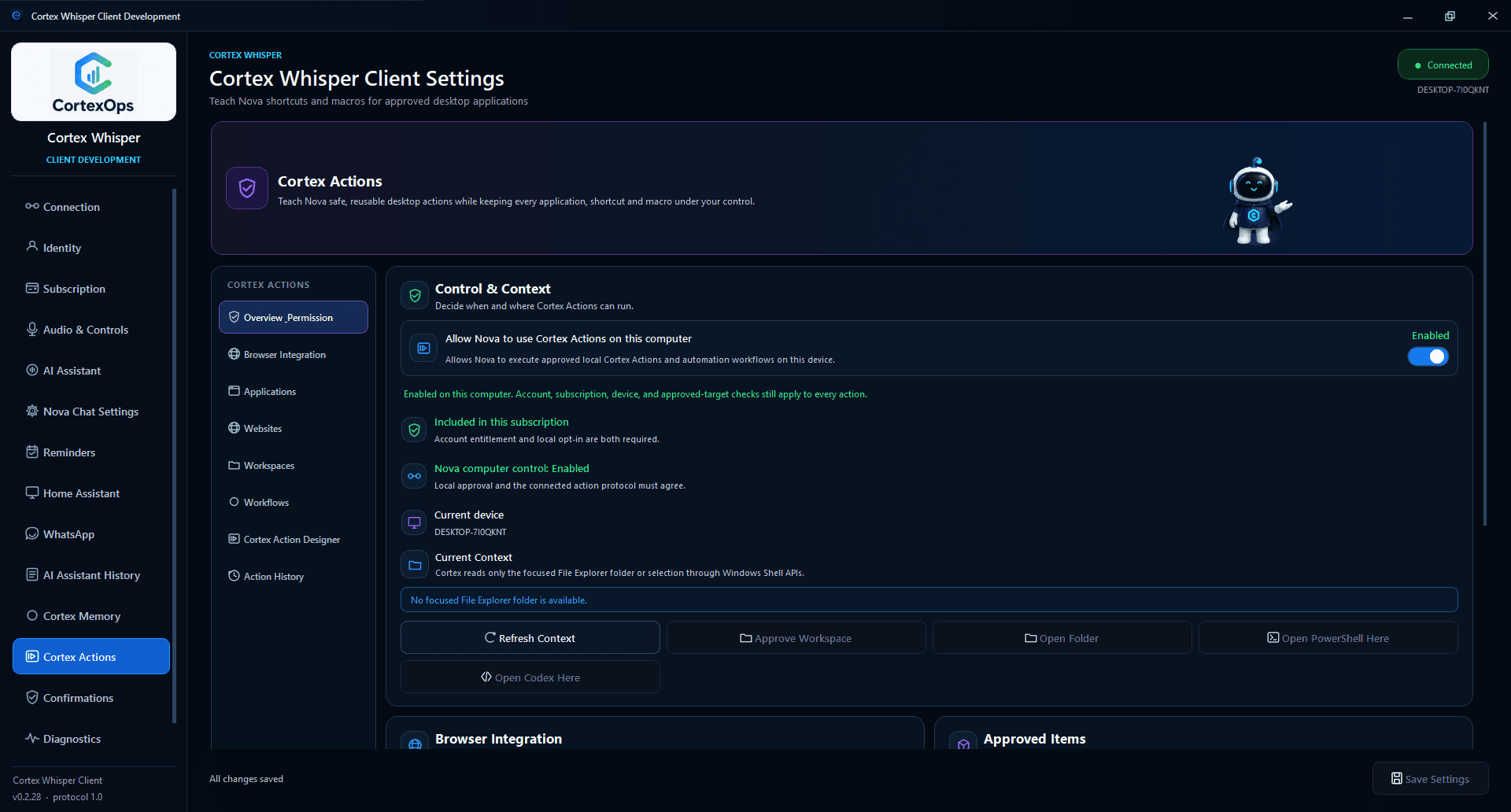
Save trusted Windows apps, HTTPS sites and workspaces. The AI receives approved IDs instead of arbitrary executable paths, URLs or folders.
Teach Nova reusable keyboard shortcuts and editable local macros, then compose multi-step workflows from targets already approved on this device.
Pair the Chrome or Edge extension for validated tab and media controls, alongside supported application, window, workspace and Office actions.
Voice & audio
Whisper remains a practical push-to-talk and dictation client. Voice now routes into a much broader desktop system instead of defining the whole product.
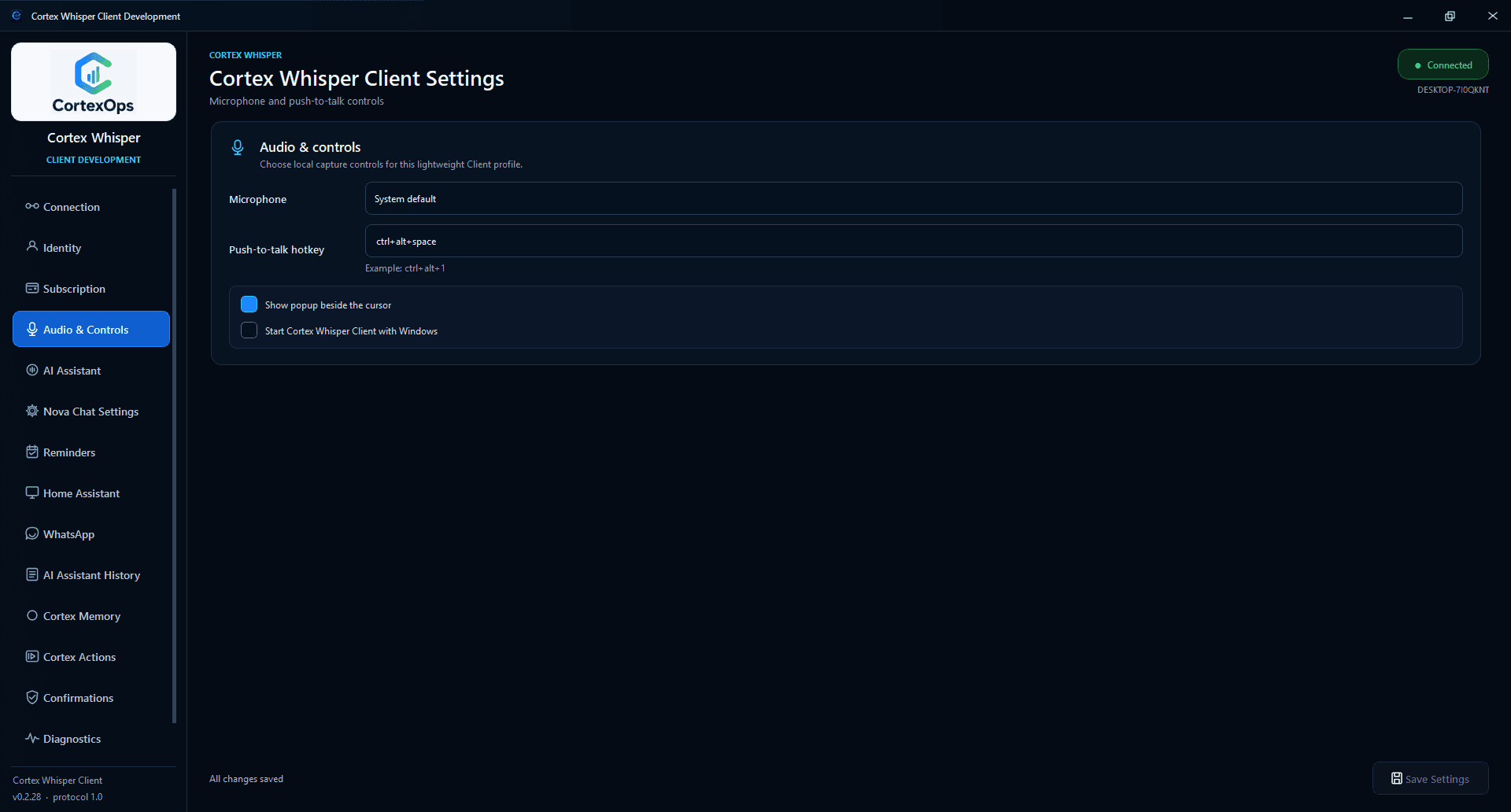
The current default voice-input hotkey.
Shared speech detection and response-language controls.
Cortex Memory + History
Cortex Memory is a local, bounded context system with reviewable suggestions and retrieval budgets. AI Assistant History is a separate local review surface for completed conversations.
Archives, summaries and indexes stay local. Nova receives only a small relevant selection within configured token budgets; raw conversation archives are not appended wholesale to prompts.
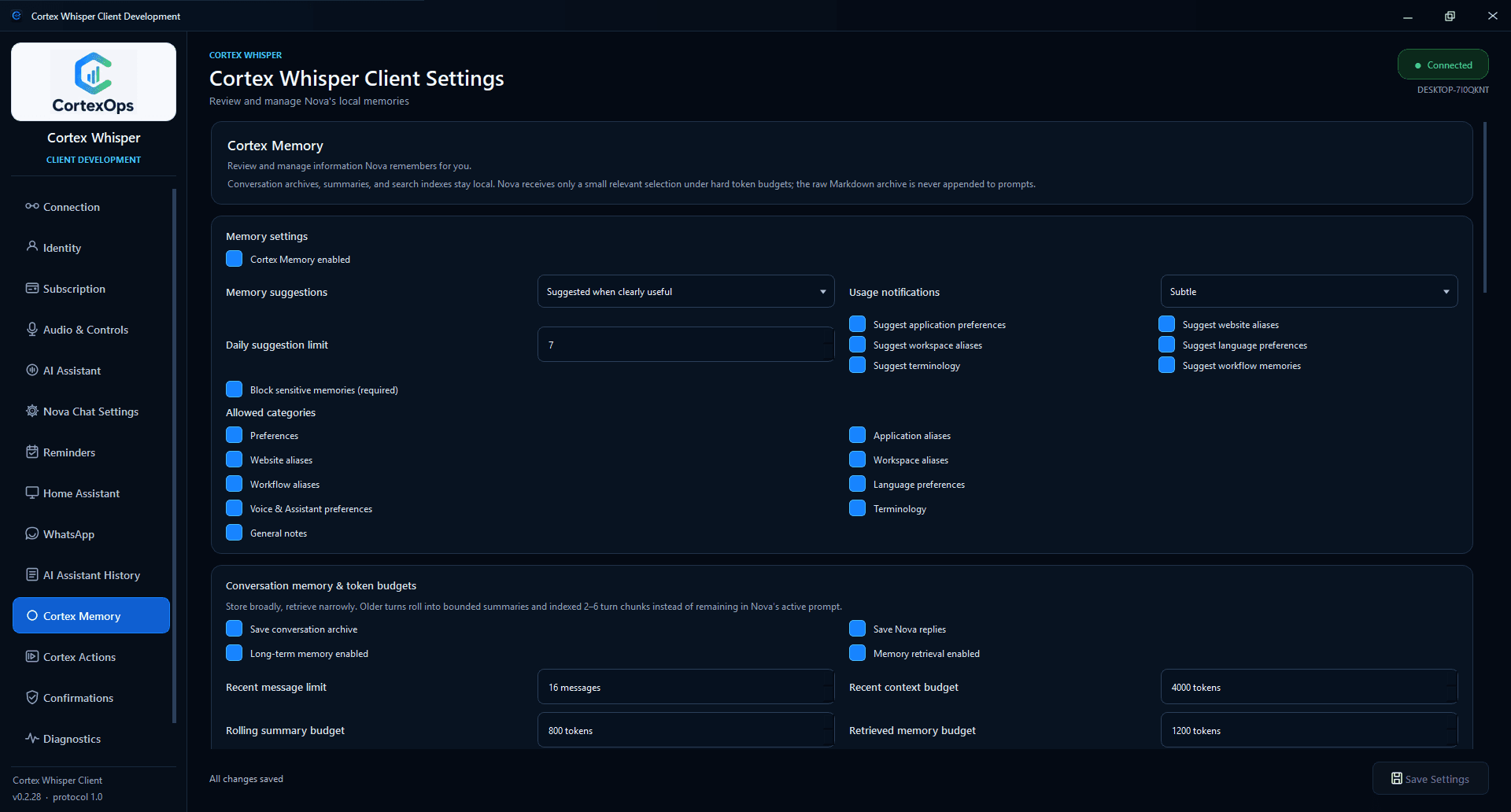
Temporary local candidates become saved memory only after Remember; they can also be edited, dismissed or suppressed.
Passwords, tokens, payment data and authentication secrets are always blocked from Memory in the current implementation.
Search, filter, inspect, copy or delete locally stored questions and Nova responses. Screenshot storage is off by default.
Reminders & productivity
The Reminders page is now a full productivity surface: natural-language Quick Add, tasks, reminders, a local Cortex Calendar and an optional per-device Google Calendar connection.
Create a reminder, task or event in natural language.
Search, snooze, dismiss and complete linked tasks.
Use the local calendar with optional Google access.
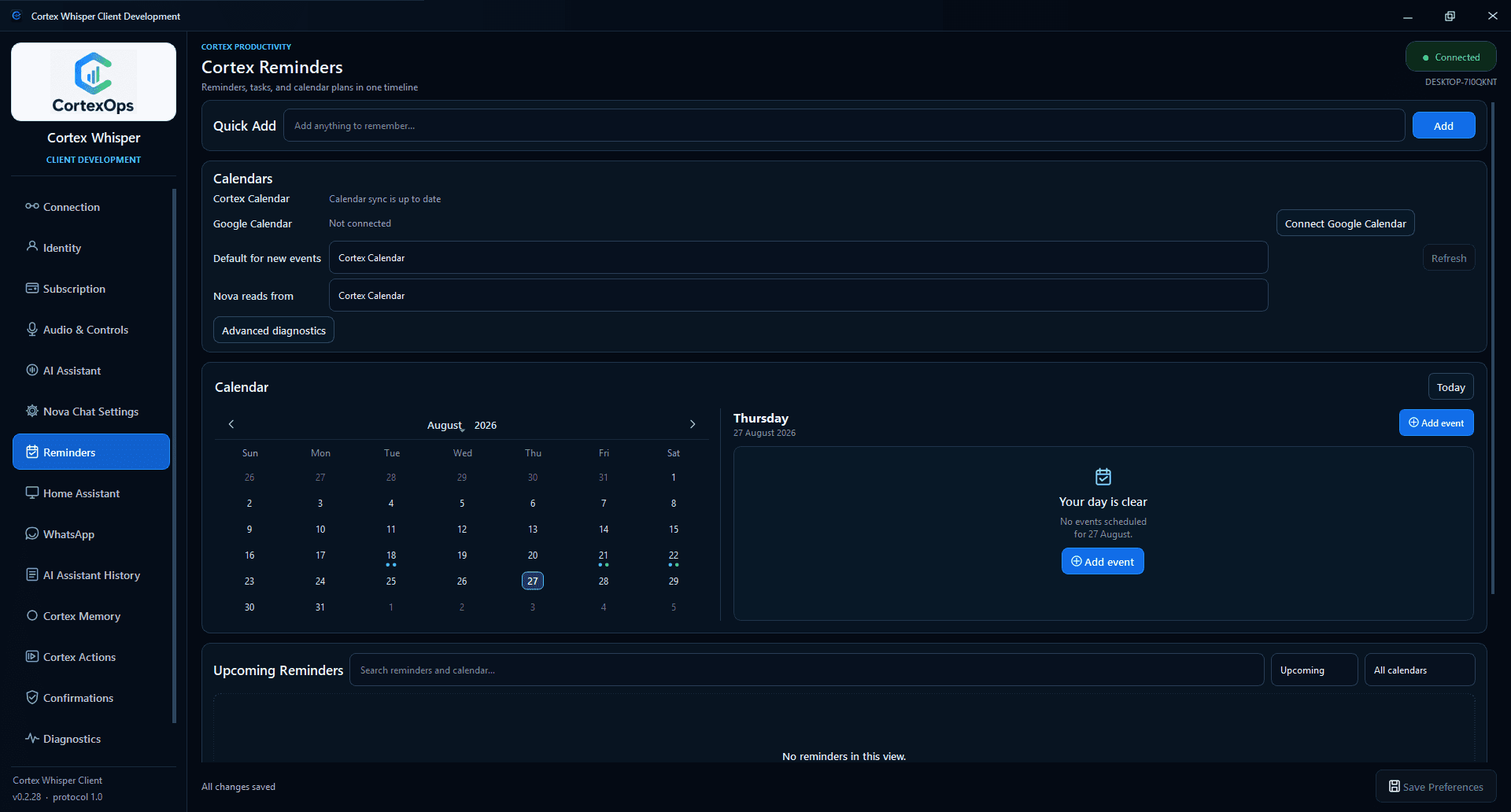
Local Cortex Calendar and reminders work without Google Calendar. The optional connector uses a separate device-local OAuth authorization; spoken reminders can be enabled when Nova voice is on.
Connected services
Integrations are configured modules with their own status, permissions and failure states—not decorative logos or unrestricted access.
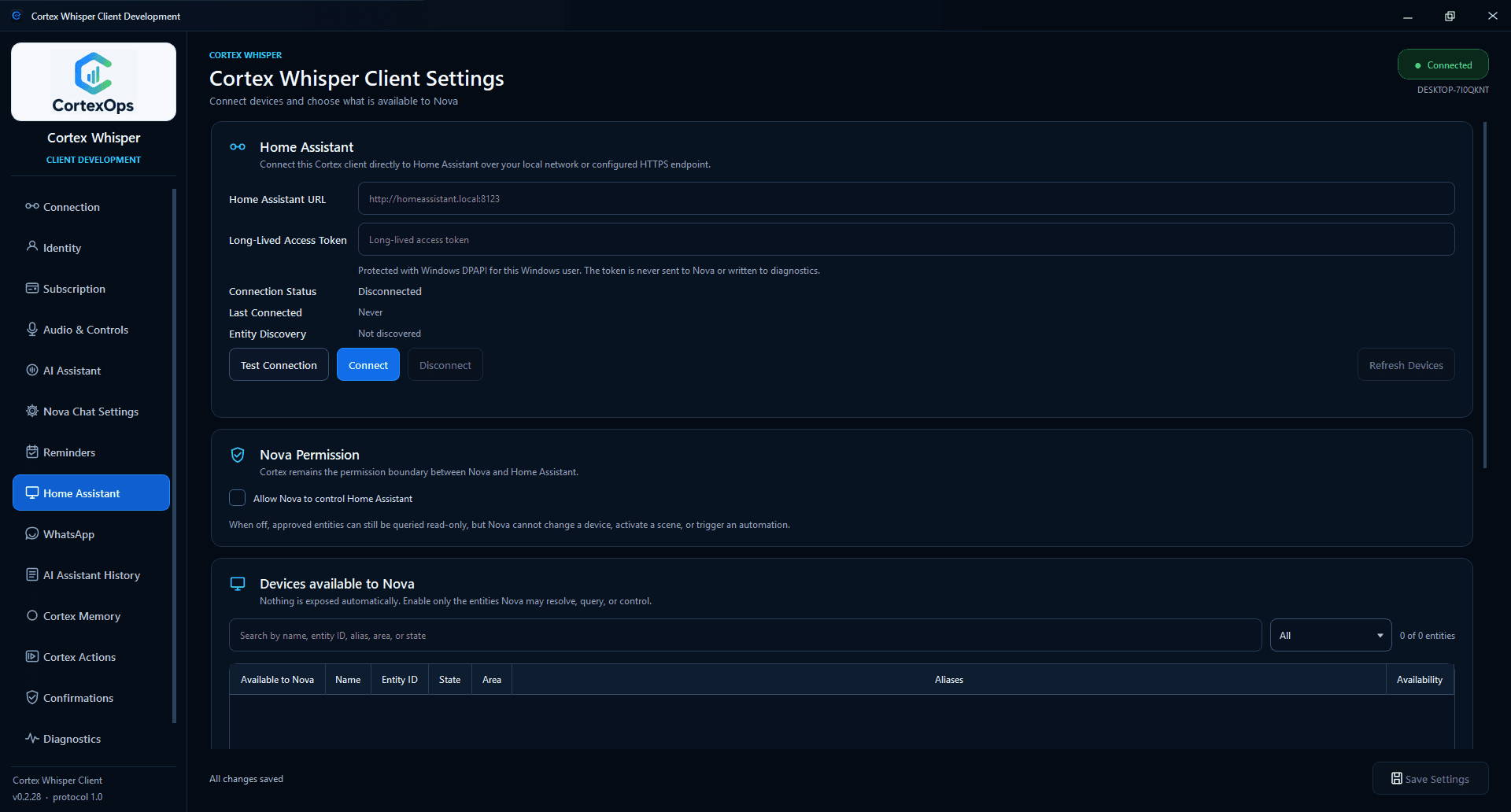
Connect over a local network or configured HTTPS endpoint, then expose only selected entities to Nova. Read-only queries remain separate from control permission; security-sensitive entities are blocked in this release.
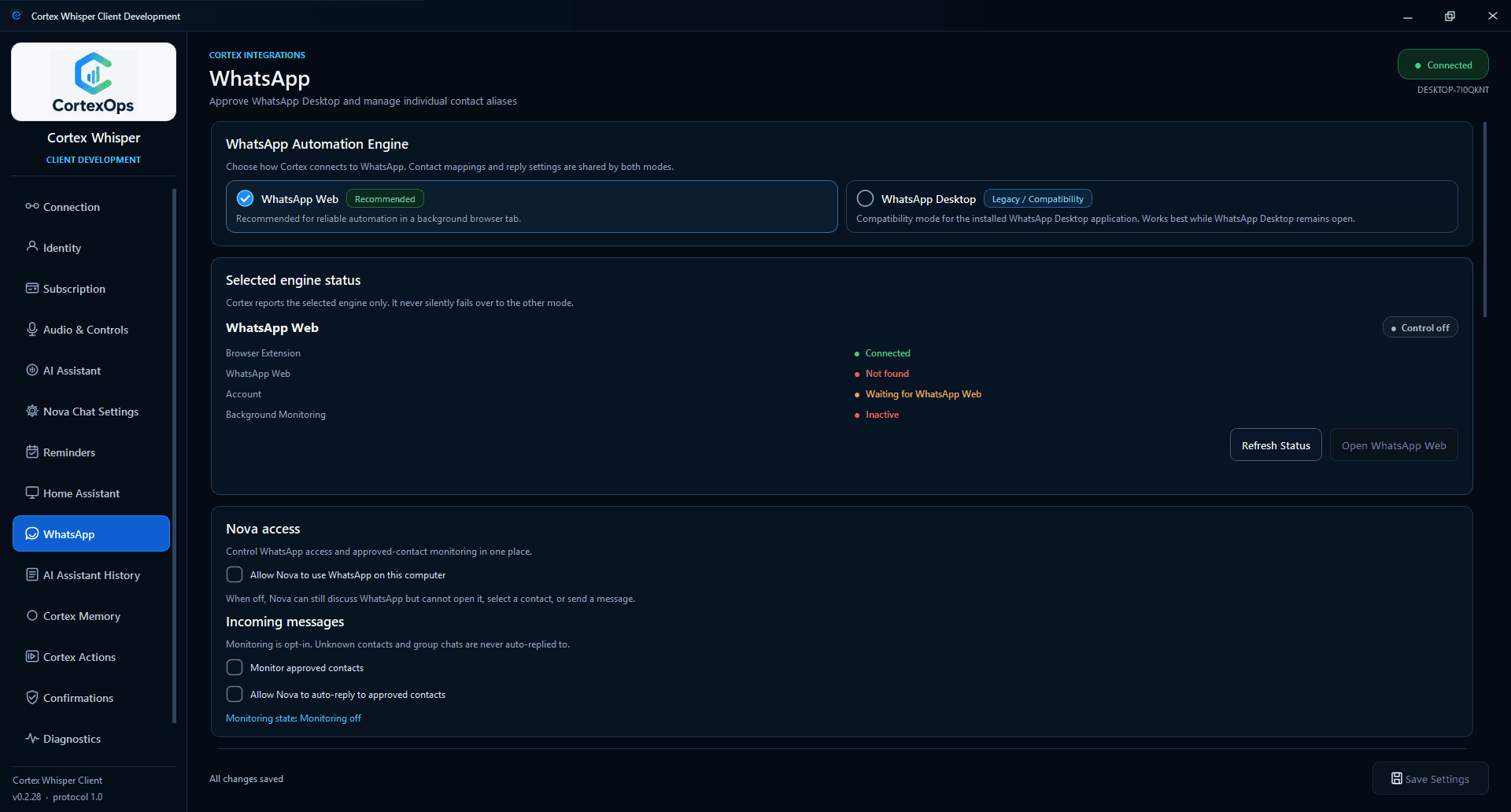
WhatsApp Web is the recommended engine; Desktop remains a legacy compatibility mode. Incoming monitoring and auto-reply are opt-in, only approved individual contacts are eligible, and group chats are not supported in the current phase.
Pair the approved Chrome or Edge extension through the local loopback bridge for validated browser-tab and media controls.
Connect a Google account separately on each computer while keeping the local Cortex Calendar available without it.
WhatsApp Automation and some advanced capabilities are subscription-entitlement dependent.
How the real client works
Cortex Whisper is the authenticated Windows interface and local permission boundary. The connected Cortex Host processes the finalized request; the client owns what is allowed to happen on the computer.
Cortex captures local input and sends the finalized authenticated request, rather than maintaining an unrestricted remote desktop session.
Routes dictation, Nova Chat and the quick Assistant; adds only the relevant request-scoped local context; tracks the exact account and device.
The connected Cortex Host processes the request and returns an AI response or a structured action request for the client to validate.
Text and optional spoken playback return through the Assistant experience.
The client re-checks entitlement, device opt-in, approved target and confirmation policy before execution.
Memory, conversation archive and Assistant History remain separately inspectable and deletable.
Reminders, calendars and configured integrations use their own local permission boundaries.
Where Nova fits: Nova is the user-facing AI experience across the quick Assistant and Nova Chat. It is not a second permission system and does not bypass the client's target validation, confirmations or connected-service settings.
Current client map
The current application is not one oversized dictation screen. Its navigation moves from account and audio into Nova, productivity, integrations, local review and explicit control.
Fail closed: if the client cannot verify the target, permission or final send boundary, it stops instead of guessing or automatically retrying a potentially duplicate action.
Permissions & control
The client exposes permission and confirmation choices directly. That same approach appears across Cortex Actions, Home Assistant, WhatsApp, screen capture, local history and account connection.
The connected account, registered device and action protocol all participate in authorization.
Sensitive and high-impact actions still require Confirm or Cancel under every normal policy.
Applications, HTTPS sites and workspaces are locally approved; arbitrary scripts, paths and model-supplied commands are rejected.
Choose the microphone, hotkeys, Nova behavior and each connected service from the client settings.
Disconnect or sign out, clear local history and archives, and remove individual local permissions.
This page makes no unverified certification or encryption-standard claim. It reflects controls visible in the inspected client.
Cortex Whisper
Dictation, Nova, local memory, reminders, connected services and approved action—inside one authenticated interface.
Capability availability depends on account entitlement, device configuration and connected-service setup.